The Plateau of Accessibility Compliance:
Where do we go from here?
Web accessibility has been dominated by the need for legal compliance for the last 20 years and this push has brought the accessible Web along by leaps and bounds. However the compliance-only approach to accessibility has run out of steam with many websites still having basic issues, a lack of disabled voices in this space, and stagnation in the accessibility industry.
This talk examines how web compliance works and where we stand in terms of web accessibility right now. Using video games as a comparator we will look at alternative approaches to accessibility that will introduce fresh ideas into our work and make disabled people the centre of what we do.
Videos
Links
- Orange You Accessible? A Mini Case Study on Color Ratio
- The WebAIM Million
- WebAIM Screen Reader User Surveys
- Westin, Thomas, et al. 'Game accessibility guidelines and WCAG 2.0–a gap analysis.' Computers Helping People with Special Needs: 16th International Conference, ICCHP 2018, Linz, Austria, July 11-13, 2018, Proceedings, Part I 16. Springer International Pub
- Gaming accessibility fundamentals - Training | Microsoft Learn
- Gaming for Everyone: The Accessibility Features of Forza Horizon 5 - Youtube
- God of War Ragnarök Accessibility | PlayStation (US)
- #GAconf | A day of talks and networking, exploring accessibility for disabled gamers
- Craig Abbott - Beyond accessibility regulations
- Game Accessibility Awards
- Göbbels, Dante, Robert M. van Wessel, and Henk J. de Vries. 'Access Denied: Ignorance of Web Accessibility Standards by Dutch Business.' Journal of ICT Standardization 13.4 (2025): 449-484.
- Game Accessibility Conference + awards
- The Game Awards – Innovation in Accessibility
- AccessAbility Summer Showcase
- Can I Play That?
- Special Effect
- Game Accessibility Guidelines
- AbleGamers APX
- Xbox Accessibility Guidelines
- Home Office Accessibility Standard
- Lyu, Jianan. 'Complying with WCAG is not all for websites: Accessibility issues and solutions faced by users with dyslexia when accessing WCAG-compliant websites.' (2025).
Transcript
Hi. I've not done a real life conference since before the dark times. So this is great. So I am speaking to lots of people I've never spoken to before. I'm speaking to all of you. Amazing. I'm Chad, pronouns are they/them. We're going to be talking about accessibility. It's a couple of content warnings before I get started. Ah, the slides did change. There'll be mentions of ableism and discrimination at disabled people. There is also spiders. The next slide will have spiders. I will tell you when I'm changing to the next slide, if you want to look away from the spider. And I will tell you when the spider has gone. Because I'm also scared of spiders, which just make writing this talk a good time. So there's also-- there is also going to be a video in this presentation. I have tried to subtitle the video. So hopefully the subtitles will appear as well. There is audio. We've checked it. But I'll also let you know before I'm about to play a video. And there'll be sound coming out of the speakers. If you don't like spiders, look away now.
This is from a game called Grounded by Obsidian Entertainment. It's kind of a Honey, I Shrunk the Kids style game. I've not actually played it, but you kind of-- you run around and you're like fighting. You're tiny in a garden, so obviously you're fighting like giant bugs and stuff, including spiders. Lots of people are scared of spiders. So instead of just letting you turn the spiders on and off, what I like about this game is you can choose how spidery you want your spider to be. So you can kind of see here, we go from all the legs, less legs, no legs, no fangs, whatever that is, and then cute body, which I think is really, really cool. I think it's a really nice way of doing it. You can now look back at the screen.
So hi, who am I? So I'm kind of doing this talk with two hats on. So first of all, I've been working in and around accessibility for about 10 years. I'm currently a user researcher. But before that, I was an accessibility consultant for private sector. I've worked with a couple of big government departments doing it. So I've done too much auditing already. Probably not as much as some of us in the room today. You know who you are. But I've also got my hat on as a disabled person. I'm autistic. So a lot of the last talk was very relatable. I'm also immunocompromised. I've got arthritis, for example, so my mobility is not great. So yeah, so I do compliance. I've done compliance. I still kind of do it in the user research job, because sometimes when you say to people, I know accessibility, they go, ha ha ha, please audit my thing. So I still do a lot of that, but also as I kind of become more into kind of like disability justice and rights and stuff like this, I'm increasingly kind of approaching it from that side as well. I don't think accessibility compliance is working. This is what the talk is about. So we're going to have a little look at why I think that.
So the plateau refers to this graph. So this is from-- we've got a couple of graphs. Everyone loves a graph today. So this is from WebAIM. So WebAIM do lots of really cool projects. And this is from their screen reader survey. So every year they send out a survey to screen reader users or screen users fill out the survey. It's a really cool resource, obviously with the caveat that it's people who know the survey exists. So it's obviously not representative of all screen reader users, but it's still a really good resource. And one of the questions they ask us about, is the web becoming more or less accessible? So we've got this top yellow line, the yellow dashed line, which is there's no change actually. Remember not to turn away from the microphone. We've got the blue dotted line underneath it, which are people who thinks become more accessible. And the line at the bottom-- no, sorry, the line at the bottom is less accessible. Yellow is no change. Yes, blue is more accessible. And I've graphed this on a graph. So this is since 2017. This line's not changed a lot. There's this odd split right at the end at the top where no change is more and more accessible is less. We've got a bit of a blip around 2020 where people think less accessible went up, possibly because we were being much more digital during lockdown. But it's not changed in the last few years. And that's a bit weird, isn't it? Because really, we should be going-- the web is getting more accessible to a point where it's all accessible and we're all having a good time. So I thought, why is that? And thought, well, maybe it's because the web's getting more complicated. When I started doing web development, we didn't really do many web applications, unless you were doing Java applets and stuff like that. So maybe it's just accessibility is really hard these days.
So here's my second graph. So this is from the WebAIM million. Again, this is automated tests over the top 1 million websites. So again, to caveat this, it's automated tests which don't find many accessibility issues. What's it like 20% of accessibility issues. So this is the million top websites. So the top line here is low contrast text. It starts kind of just before 90%. It's kind of 87%. Goes down to 80%. This is over the last five years. So these are the top five issues, six issues. Well, top five issues plus skip headings, because that's my personal bugbear and it's my graph. So we can kind of see. So the top five issues are low contrast text, missing text alternatives. This is no alt text. Missing form labels, empty links, empty buttons, skip headings. These things are really common, but they're really easy. Alt text has been around forever. Back in my day, alt text was because pictures didn't load on dial up, and that's what the alt text was for. Missing form labels, this is basic HTML. Skip headings, this is around 40%, and there's a straight line. If you can count from one to six, you can do headings. Like it's not-- None of this is-- and I have done a talk for a while. I've kind of yelled at developers going, can we count from one to six together? I'm not going to make you do that. But if you can do that, you can do headings, and yet 40% of the top 1 million websites don't do this. They skip heading numbers out, which is why it's my personal bugbear, because I like to hope we can all count in here. So yeah, so a lot of this is still basic HTML. It's put text in your links. You're missing-- empty links and empty buttons will be where you're using images for links or buttons, et cetera. You've just got a little icon of the Bluesky butterfly, or something like that. So cool. So OK, cool, what's going on?
So what do I mean by compliance? Let's dial back a bit. Say don't read this slide. I'm using LibreOffice, so we can think of a way to make this slide pretty, because LibreOffice is functional. It's not pretty. So if you say to me, or I look at a website, and it goes, ah, I'm WCAG 2.2 AA compliant, it basically means an auditor has gone down this big checklist and gone, yes, you've done all of these things. We've got things about video captions. We've got things about can it use the keyboard. We've got language. We've got errors, et cetera, et cetera, et cetera. So this is what it means to be compliant. So I'm talking about WCAG compliance. And I've got a couple of issues with this, which we're going to go over. No shade to anyone who works on WCAG. WCAG kind of is what it is, and people have come to these decisions. They have to come-- what's it? The retro prime directive. You know, people do the best they can do with what they've got. I've got a couple of issues with WCAG. The name's one of them. I'm not going to go into what WCAG is. Sorry, it's the Web Content Accessibility Guide, as people don't know. But I'm not going to go too much into what it is. There's lots of really good talks out there, probably, that you can go and have a look at instead.
So first problem is some of these criteria can be a bit counterintuitive if you're not the kind of person that's really into the WCAG spec. So let's talk about use of colors. This is one example. So use of color says don't use color alone. So this is for people who are colorblind, or people who kind of have other visual impairments who are kind of distinguishing between colors, or things that are colored and not colored can be more difficult. So it says if you're going to use color, you need an extra indicator. So we've got three different ways of styling a link. We've got your standard, it's blue with the underline. We've got the middle one, where it's just blue without the underline. And then we've got the bottom one, where I haven't styled it at all, because I like black text and confusing people. So with my pure audit hat on, the top one passes because we've got the underline. The second one doesn't pass because I've used color alone. The bottom one passes because I've not used color at all. So again, because that's not really what this criterion is for. But this does trip people up who, like I said, developers like yourselves who don't really want to spend ages reading the WCAG spec. It's not the most readable of specs. It feels like a bit counterintuitive, because you might look at that and go, actually, that middle one is more-- because I can read that, but the bottom one isn't. And it's because we kind of have this idea that-- or this kind of principle that if it's terrible for everybody, it's not an accessibility problem, it's just-- it's just a bit shit. And so you kind of don't raise that in an audit so much. I mean, I'd write something in an audit that goes, website's a bit naff, love. So this is why I don't work in accessibility anymore. So yeah, so there's that. Contrast is another one. So there's links to this. I've got links to all these things I'm going to reference. So we've got a black-- we've got two orange buttons. One's got black text, one's got white text. Who thinks, actually-- I did this in a-- who thinks the one with the black text is easiest to read out of the two? And who thinks the white text one is easiest to read out of the two? That's not WCAG compliant. Technically, by color contrast-- because color contrast is mathematical, which is why automated testing is really good at picking it up. It's a-- I don't know what the maths is. I'm not maths. I'm not very good at maths. Sorry. I'm not-- that's probably why. I can't even pronounce it. Yeah, so technically, the white text one is easier to read. And the blog post, which I forgot the name of, it's in my last slide, basically asked a lot of colorblind people and said, which do you find easy to read? And most of them said the white text. But it's not WCAG compliant. The second example on here, the gray on gray, this is from Microsoft Dynamics. So I've done some user testing recently on a Microsoft Dynamics product. And this is WCAG compliant, this kind of gray on gray. But a lot of our users, not even people who-- sorry. I don't know why it's not put the gray. There's supposed to be a gray background behind this text. I do apologize. Anyway, imagine-- It's gray on my screen. I'm not using LibreOffice again. This is not the year of Linux on the desktop. So anyway, gray on gray can be difficult for people to read. So even though it passes WCAG, a lot of our users, particularly even users who weren't reporting any visual impairments, were saying they couldn't read it. So this is something you need to find out for user research. So problem for first, some of the WCAG criteria are a bit counterintuitive.
Problem the second is the whole thing about-- we talk about WCAG being a floor. So it's like, WCAG compliance is the bare minimum, and then you do all the cool stuff over the top. We've already looked at how a lot of us aren't meeting the floor, but we won't talk about that now. So this is an example, because people say it's a lot like, you can have a website that's compliant but not accessible. And here's an example. So this is from an actual government service. I won't say which one. As this is to make a complaint about something. And so it asks you to put in your contact details. So you can put your email and your phone number. There is no way on this form to tell the form you don't have a phone, or you don't want to use a phone, or you can't use a phone because you're deaf, or because you're neurodivergent and can't use phones. So I have tried here to write no phone, or I might try to put my phone number, and then in brackets going, please only text me. I have to put in a phone number to pass, to go into the next screen. It might be later on there's a screen where I can say that, but because government likes to do this one question per the page, you don't know that at this point, right? You've encountered a barrier. This page is perfectly WCAG compliant. Like it passed the audit, I double checked it, it's all fine. But yet some disabled people might still encounter this barrier. And you only find this stuff out through user research. Get some user researchers. So this is an example of that. OK, cool. So we've got some of the WCAG criteria, a bit counterintuitive. I've got a very brief example of the floor not ceiling being more accessible, you know, some compliance isn't accessibility.
But my main issue with compliance is how it removes the disabled person from the conversation. You can go your entire accessibility career and never speak to a disabled person about their experiences, all right? We offload that. So obviously when they write WCAG, you know, that's with disabled people, by disabled people, you know, there's a lot of knowledge and cool stuff going on there. But then as an auditor, I outsource my talking to the disabled person by assuming that they've done it. And you, when you get my audit or I talk you through the audit, you expect that I've spoken to a disabled person. But I don't have to have done. The reason I left accessibility compliance and went back to user research was because I wanted to talk to disabled people, which again feels very counterintuitive, right? Because you can also go your entire career in tech and never say the word disabled person. We obfuscate it. We say access needs, right? You know, we say accessibility considerations. And some of this is for good reason, right? Because we want to be inclusive. So some people don't consider themselves to have a disability when you might look at them or you might think that they do, right, by legal definition, whatever. I did some user research. Someone asked in the beginning, like, do you have any access needs? Do you have any disabilities? And they're like, no, no, no, no, no. And then they screenshared with me, and they had their text size turned up to 200%. And they-- because they didn't consider that disability. They were just like, well, you know, I'm getting older. And computer resolutions being what they are, they're harder to see. You know, and so we kind of missed that. So we do that for some of those good reasons. But it does mean, I think, we've gone a wee bit too far. I've read some great blog posts by people doing some really, really good work in accessibility. And they don't use the word disabled once or disability once. And that, to me, kind of-- it's not the reason we're here, right? Accessibility is because we want disabled people as well. We want everyone to use the web, and that includes disabled people, right? Because none of us are immune to ableism. So ableism is the concept that the world is set up for non-disabled people, right? Similar to you. Sexism is about the fact the world is set up for men. Homophobia is about how the world is set up for straight people, et cetera, et cetera. And none of us are immune to it, right? Because it's society and unconscious bias and all that kind of like cool DEI stuff that's really popular these days. But so we don't think about it. And even within accessibility, there is inaccessibility. I've been to accessibility events and had to leave them because they're too noisy. I've got sensory auditory processing issues, thanks autism. And that means I can't go to many events. I was talking to someone about this the other week, and they said they're disabled. And they said they wanted a job at this company. And the company was doing this big event about this kind of big recruitment event, like we're disability confident. We want all disabled people to work for us. Come to our event about how it's great working at our place as a disabled person, and you'll probably think about how this is going to go. The event was not in a venue with step-free access, right? Like this happens all the time. I had a big meltdown at a major accessibility conference because it didn't have any quiet spaces. There's very little remote accessibility jobs. We don't hire that many disabled people, even in accessibility, which we think would-- probably amongst tech probably has the most proportion of disabled people. But there's not many disabled developers, not any blind developers, et cetera. So when you have things like this, right?
So this is a study of Dutch websites going, why aren't developers making Dutch websites any better? And this is what they came up with. There's a lack of awareness. The standard is hard to understand. The standard is hard to understand. People don't see the benefit. Again, this is ableism. This is not thinking about disability. And the lack of consequences. I get asked this a lot. People go, cool, cool, cool. It's the law. But am I going to get caught? And if so, what's the problem? And you kind of go, possibly, and I don't know because a lot of stuff gets settled out of court. It's all NDA'd, et cetera, et cetera. Or it relies on disabled people reporting problems. And disabled people on the whole have less time and energy to do those things. Lack of awareness is interesting. WCAG is ancient. So WCAG 1 came in, what, 1999? Before some of you were possibly born. You know, so this is kind of the official things. But again, this is plateaued. We've kind of been going on at this for years and years and years. I'm not the first accessibility talk, a lot of you have seen. All right, it's got a bit negative. Hang on. We've all got a bit.
Why video games? So video games. So video games are our sister industry. They're very close to us. They write stuff in code. We write stuff in code displayed on a screen input device. A lot of games that successfully come from web accessibility. Video games, accessibility games, struggle all the time. There's awards and loads of cool stuff. Also, I'm a big nerd. This is my talk. And I'm going to talk about things I really love, which are things. I'm not suggesting you implement some of these things. I'm not suggesting you go back to work on Monday and go, we need an arachnophobia mode. Unless any of you from BBC News, because every time there's a spider story, you post a picture of the spider on the website. And I can't look at the news for the rest of the day. So yes. So this is from a game called Steel Rising. Steel Rising is a souls-like, which is a genre known for being very difficult. This is one of the first ones to have most to make it easier. This upsets a lot of nerds. And I like this, because it's not just easy, medium, hard, which we've had since Doom. It allows me to really set up the type of difficulty that I want, which is really cool, which meant I actually finished this game. You're a robot in the French Revolution. You're Marie Antony's robot-- Marie Antoinette's robot, going to find out why Louis XVI has conquered France with robots. Play this game. I talked about audio sensitivity. This is from Borderlands 6. So when you think about settings for people who are hard of hearing, people who are deaf, people with auditory processing issues, you might go, ah, captions. Captions are still important. But this has loads of settings. There's one for people with vestibular disorders. It reduces the bass. It fatigues for streamers. Being a streamer isn't a disability. Hyperacusis, this is a very strong sense of hearing. Mesophonia, I have mesophonia. That's where you get angry at people who chew next to you. Sensory comfort, two settings for tinnitus. Good for those of us who went to gigs without earplugs. So there's loads of these different settings in this game, which is really good. And you might go, well, these people have got all the money in the world, right? Borderlands is a big game. This is an indie game called Abiotic Factor. They also have a mesophonia mode. So that's some things I think are cool.
So we're going to talk about three sets of guidelines. This is the game accessibility guidelines. This was co-developed with the BBC. This is probably the closest one that's come from web. This is very frustrating because we're going to be talking about game accessibility guidelines as a concept. But also there's the game accessibility guidelines. These are called gag now. That's how I'm going to refer to them as we go. So they basically do a very WCAG-type style thing, where you've got this list of criteria. And they split it by basic, mean, and advanced-- intermediate and advanced, sorry, like we do A, AA, AAA. And they do it kind of-- there's lists per type of impairment. AbleGamers, which is a charity in the US that supports disabled people, particularly disabled children playing video games, they have these patterns, design patterns. Some of them are about access. So can people use it with one hand, et cetera? And some of them are about challenge and cognitive difficulties. And then there's also the Xbox accessibility guidelines. This is all of them. There's not that many. They're very broad. And again, Xbox developers will kind of use this and do their work against this. And so what I thought I'd do for fun was I compared all of these things against WCAG 2.1 because that was the WCAG at the time. And these are the main differences between the web and video games. Customization control, AAA, cognitive disabilities, examples in a real space of real people. We're going to go over these one by one.
So customization control. Get most game accessibility is giving people loads and loads of options about really curating their own experiences, experiences that work for them. So this is God of War, Ragnarok. This is going to scroll. Sorry, there's no sound. So they have these settings, accessible setting presets. This is their page on accessibility. We've got the presets for motor, hearing, et cetera. And then these are all of the options. I'm just scrolling down this page. There's loads of these. Holding. Do you want to hold a button? Do you want to press a button? Do you need checkpoints in the game? Do you want to auto pick up? Here's your captions. What color do you want your captions? What size do you want your captions? How big do you want icons on the screen? What color do you want the icons on the screen? Do you want high contrast mode? Do we get rid of screen shake? Do we do all this? Do we have maps? It has a screen reader built into the game. How does that work? This is all the different audio options. This is all the different HUD options. These are the difficulty options. This is a lot of options. Too many options, which is why they have the presets. Because I think otherwise I'd look at this and cry and then not play the video game.
AAA. So one criticism of WCAG you probably hear quite a lot is it's not great for cognitive disabilities. It's not that bad, because most of it's in AAA, which we all tend to ignore. What I'm saying to you is go back into AAA. There's a really good talk by Craig Abbott, who did a talk accessibility. He's gotten back this a couple of years ago. Go and watch his talk. Not now. Wait. But go and watch his talk about it. It's really, really good and talks about a lot of this kind of stuff. But actually, there's loads of really cool stuff in AAA for cognitive disabilities. This is my favorite example. This is Pokemon Leaf Green. So when you start a new game, it tells you the last four things you did. So if, like me, you forget, or you have memory problems, or you haven't played this for two years and you don't know what's going on, it's telling me-- so the last thing I did is OK, cool. I went to a guy. I was like, go and check out the museum. And so I went to check out the museum. Cool. I beat Brock with Bulbasaur, best Pokemon. Don't @ me. I left the gym. Probably Brock was crying. And then it would tell me I went to the Pokemon Center. So now when I pick this game up, I can go, ha ha. I've done the city now. I can move on. Oh, I didn't know that had sound at the end. Exciting. Apologies. This is from Legend of Zelda, which is on the DS, which was a two-screen handheld console. On the bottom screen is a touchscreen. So you can write on the map, which is really good. This one here, someone solving a puzzle where the top screen is the link running around, and it's going, press the second lever from the left or whatever. And then someone's written it down on the map underneath. I really like this, because I would often just put a big arrow to do this next every time I quit the game. Prince of Persia, Lost Crown game came out fairly recently by Ubisoft. Again, from a very big developer. Have a similar thing. You can take screenshots of places in the game so you can remember to go back to them later and why you want to go back to them later. So yeah, good stuff. Annotations, I like them. So yeah, so customization. We've done that. We've done cognitive accessibility, right, cool.
Examples, so I did say WCAG was difficult to read. And this is something I've heard from developers. So we're going to talk about captions. So this is the examples for captions in WCAG. It's in text. Captions are very visual things. So people kind of look at this and go, I don't know understand what this example is trying to tell me. Is it trying to tell me to do this? I don't understand. Video game accessibility guidelines do it slightly differently, because they can use-- well, WCAG can't really use examples from actual websites, right? But games can, because they can. So GAG has this. So they will have-- so this is for captions. They've got Left 4 Dead 2. So it kind of says, this is how Left 4 Dead 2 does captions. What it looks like. Here's a description of it. Xbox have a similar thing, where they're like, here's Forza Horizon 4. This is how it does captions. So I can look at all the different products out there that do the thing I want to do and go, OK, that works for me. That doesn't. I can buy Forza Horizon 4 if I want to, or borrow it, and play it, and kind of get these really, really cool examples. And something like that can make something easier to use, right? So if you think about your design system, OK. I've worked with a lot of design systems. And each of your components in your design system can be the most accessible component that's ever been written. And a developer can put them together in a way that's the least inaccessible website that's ever been written. Because a lot of design systems that I've used don't kind of show you how things look in situ. They don't go, what if I've got three date pickers on a page? What's the accessibility like then? You know, those kind of things. So good examples in your own work can be really, really helpful. And then a real space for real people. Because even though these were digital products, people are using them in real life on actual computers. So game accessibility guidelines cover this. So Zag, the Xbox ones, have one about accessible customer support. Because what's the point in having a, if you've got accessibility issues with a website, please email us. Or please fill out this inaccessible web form. It's not great. So they have something like that. GAG has one about providing details of accessibility features on packaging so people can make an informed decision. Scope did a survey where 20% of disabled gamers have bought a game that they couldn't play. And 14% of disabled gamers have bought a game they couldn't play and couldn't get refunds for because of restrictive refund policies on digital games. So if you tell people what they can do or what they can't do in the game, they know whether to buy your game or not. Same with accessibility, same on a website. People know what they can do or can't do on your website. Decent user research. This is built into the game accessibility guidelines. So think about the context of where you are. So again, user research. I've done home visits. So I've seen disabled people in their homes using their computer with their setup. So there's something like we asked them how to fill the service for their passport number or something like that. And they said, oh, I can't do this. And I've got to wait for my kids to come home to go upstairs and get my passport for me. And that's not something you might think of when you're actually going-- because you're going, the field where I put the passport number in is accessible. It's compliant. But seeing people in that actual situation, their actual lives, it's really good. Xbox have a little e-learning, like gaming fundamentals, getting access to fundamentals. It's very, very cool. One of the sections is about the box the Xbox comes in. Because they said, well, there's no point blind people being able to play all the Xbox games if they can't get the Xbox out of the box and into the television. So they designed the box the Xbox comes in for disabled people as well. So it's easy to open. You can kind of tell what things are. It's got Braille or kind of tactile things on it.
Bit of a shout out to the community. I'm not going to go too much into this one. But there's game awards now. So there's a game accessibility conference. It happens twice a year. One in the European time zone, one in the US time zone. The next European time zone is in April. Check that out. It's free. It's online. The game awards, which is the big, shiny game awards, happens every December. They have an innovation accessibility award, showcases, charities, review websites. I just want to show off one of these. This is going to be a video with sound. There's some game called Atomfall, which won the award for best comms and marketing. They had a six minute-- we're not going to watch the whole six minutes-- trailer on the accessibility features. I'm just going to play that for you, first minute or so. - Atomfall is a survival action game where you explore the fictional quarantine zone, scavenge for resources, and fight or talk your way through encounters. It sets to be Rebellion's most accessible game to date. And today, we're going to have a deeper look into its accessibility. We built the game with accessibility in mind, as we wanted to make sure that we could enable as many people as possible to access the core game experiences. We use a mix of both optional settings and accessibility by design to help more players play and enjoy the game. That shouldn't have gone to that slide. - Rated M for Mature. No, cool. No, skip. Right, hang on. Stop laughing at me. Sorry. I was like, yeah, I had this issue when I tested this talk. And I was like, yeah, no, it's fine. I've moved a slide, haven't I? No, there we go. No, that was the right slide. There we go. Right, yes. So they have this really cool trailer. Where's your trailer for your website? Where do you tell people that your website's accessible? This is from a game-- sorry, this is from a game called Spiritfarer. It's a very good game. It will make you cry. You're a psychopomp, which is someone who takes someone to the afterlife. And you collect these spirits. And they live on your boat in these little houses until they're ready to move on. And then you take them to the afterlife, essentially. It's very sad you will cry a lot. I took part in user research for this game, because they wanted to introduce a character with depression. And so they got depressed people to do research with them and go, is this character right? Is it true to life? Does it make sense to you? Is it that we over-exaggerated or done something? So this is where user research is really helpful. So it's not just can the disabled person use the website, but again, how does it fit into that kind of actual lives, these kind of things?
So why can't we be really cool like video games and do what video games do? Well, first of all, websites are easy to do compliance with, because everything essentially is HTML at the end of the day. No matter how much we make frameworks to pretend there's no HTML there anymore. But it is. And so you can do compliance, right? Because a heading is a heading is a heading. Games don't do that. They're all very different. You've seen all these examples. They're all written in different types of code. They all use different types of engines, et cetera. So you kind of have to do best practice. Compliance with games is really hard. We also have the benefit in the web that a lot of things are done for us by the browser, by assist technology, and by operating systems. I talked about customization earlier. I would not recommend you go and make a load of customization settings on your website, because you will likely clash with a lot of things that come with assistive technology. I'm not saying don't do that. I'm saying make sure-- so for keyboard shortcuts, if you're going, oh, we want some cool keyboard shortcuts, make sure it doesn't interfere within the screen reader keyboard shortcuts. You know, if you've got light mode and dark modes, test both modes with high contrast mode on Windows or something like this. But it means we don't have to do a lot of that stuff, because YouTube does the subtitles for us. We don't have to really bother about subtitles. Also, we're stuck to WCAG by law. Sucks to be us. We're not getting rid of it any time soon. Obviously, it depends on the law. But again, I come from government, so the public sector bodies, accessibility regulations do explicitly say WCAG compliant. Never mind. Cool.
What's your takeaways? What do you need to do? Re-center disability. Say the word disabled people a bit more, like at the bare minimum. Yes, you will think about access needs, because it is broadened disability. Yes, you will get accessibility for everyone, because that's the only way you can sell it to your senior stakeholders. But accessibility, for me, is for disabled people. I want disabled people to use the web. I care less about non-disabled people using the web, because you mostly will get on. Except with the really bad usability stuff, which I do obviously care about as well as a researcher. But re-center disability. Don't go, well, hopefully we'll just do best practice and pick up the disabled people along the way, because obviously that's not working so far. Think about context. Essentially, this should be higher service designers, really. But think about where your product is going to be used. Is it going to be used on a phone? Is it going to be used on a tablet? If I'm asking someone for a physical object, or a two-thing authentication, or your NHS number, or whatever, can they get that? Are they going to have to wait for their kids to come home? Are they going to have to wait for a carer to come in? Does this make any sense? Are people going to see the thing tick down on Ticketmaster and panic wildly, because Ticketmaster is so slow, and it's not my fault I've only got 30 seconds to buy this ticket. So thinking about the context your things live in, that these are real products used by real people. One tip I've found from auditing is that I've tested mobile apps quite a lot. And people don't test their mobile apps with an external keyboard. People will use an iPad with an external keyboard. You're not testing for that. Please test for that more, thank you. But again, because that's context, that's a physical thing. And think about curating your own guidelines. So the Home Office is a really good example of this. They create their own accessibility guidelines, which are based off WCAG. I've got a link to it. And they've done some really cool stuff, like inframing relationships, which is a very big criteria that covers loads. They split that up so it's a bit easier to understand. They've added criteria for user research. They've added some of the AAA criteria back in, because it is actually some good stuff down there, actually. Help is good. There's a criteria, a new one in 2.2, consistent help. If you have help on your website, it needs to be in the same place on every page. You can pass that criteria by removing help from your website altogether, which probably isn't the thing you want to do. So these are three things I want you to take away.
I've got a video on the next slide just to finish off, just to show you the impact of some of this stuff. We've talked about software. There's lots of cool stuff going on hardware and video games as well. Both Xbox and PlayStation have access controllers for people with disabilities. And this is just a couple of minutes of someone talking about that. I'm Paul Amadeus Lane. I am an accessibility consultant, specialist, broadcast journalist, you name it, I do it. I set up my access controller using my DualSense controller. And what I did with the access controller, I had to control a lot of my jumping, and the melee, the firing, all those things that made it difficult for me to do just on a regular DualSense controller. I was able to set up my access controller that way. It really helped me to have a full gaming experience. My name is Aaron Price, and I'm a peer counselor with the April Gamer's charity. Sorry, Aaron, I don't want to skip you. Thank you. Yeah, anyway, so that's the talk. I'm not saying do all the video games. I'm saying there's cool stuff going on in video games. Be inspired by something else that isn't staring at WCAG or staring at an order. I'm around all day. I've got my Steam Deck with me. So with some of the titles I've talked about, I have them. You can come and have a play with them. I've got God of Aragana Rock, so you can have many hours of fun going down all the accessibility options, but I've got a couple of other titles as well. I've got all the links online to the talk. You can find me on Bluesky, I'm Kitation. You can find me on Mastodon I'm kitation@disabled.social. You can email me. These are my two cats, because you have to put a cat in a slide this is, Maki, without whom this talk would have been much easier, actually. Yes, but thank you so much for listening.
About Chad Gowler
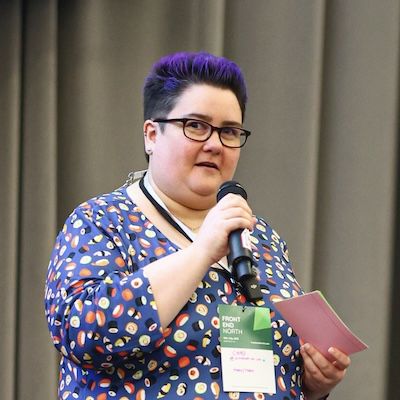
Chad is a user researcher and accessibility advocate based in Sheffield in the UK. They have been working in tech for over a decade as a developer, user researcher and accessibility consultant. They do talks on inclusive design for transgender people, the importance of user research and most recently on using game design to improve accessibility awareness training. In their spare time you can find them curled up on an armchair with their two cats reading about social justice or playing JRPGs on their PS5.